Description


The wall description is the type of wall that you are describing for example the walls
are painted paper you would change the description from the default to painted paper.
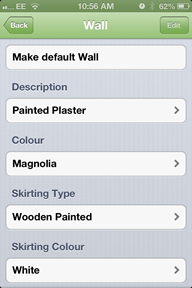
The default ceiling is set to plaster painted to change this press the white box that has
'Painted Plaster' typed in it and a new screen will appear that looks like this.
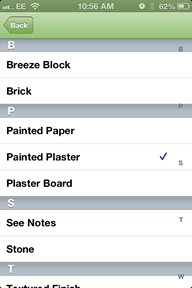
Scroll through until you find the desired description and select it.
When you have selected it a small blue tick will appear next to it.
Created with the Personal Edition of HelpNDoc: Write eBooks for the Kindle